
Documentation Index
Fetch the complete documentation index at: https://docs.coffeerms.com/llms.txt
Use this file to discover all available pages before exploring further.
Target Company Master Workflow
This workflow describes how admins manage prospective or strategic companies inside the RMS.Add Target Company
- Click Add Company
- Fill required fields:
- Company Name
- Industry
- Category
- Company Size
- Priority (High / Medium / Low)
- Contact person, email, phone
- Location
- Status (Active / Inactive)
- Add optional details:
- Key contacts
- Target positions
- Website
- Notes
- Click Save — The new company appears in the list immediately.
Edit Target Company
- Click Edit on any company row
- Update:
- Industry
- Priority
- Status
- Contacts
- Location
- Business details
- Key contacts
- Target positions
- Save changes — updated data instantly reflects in the Target Company table.
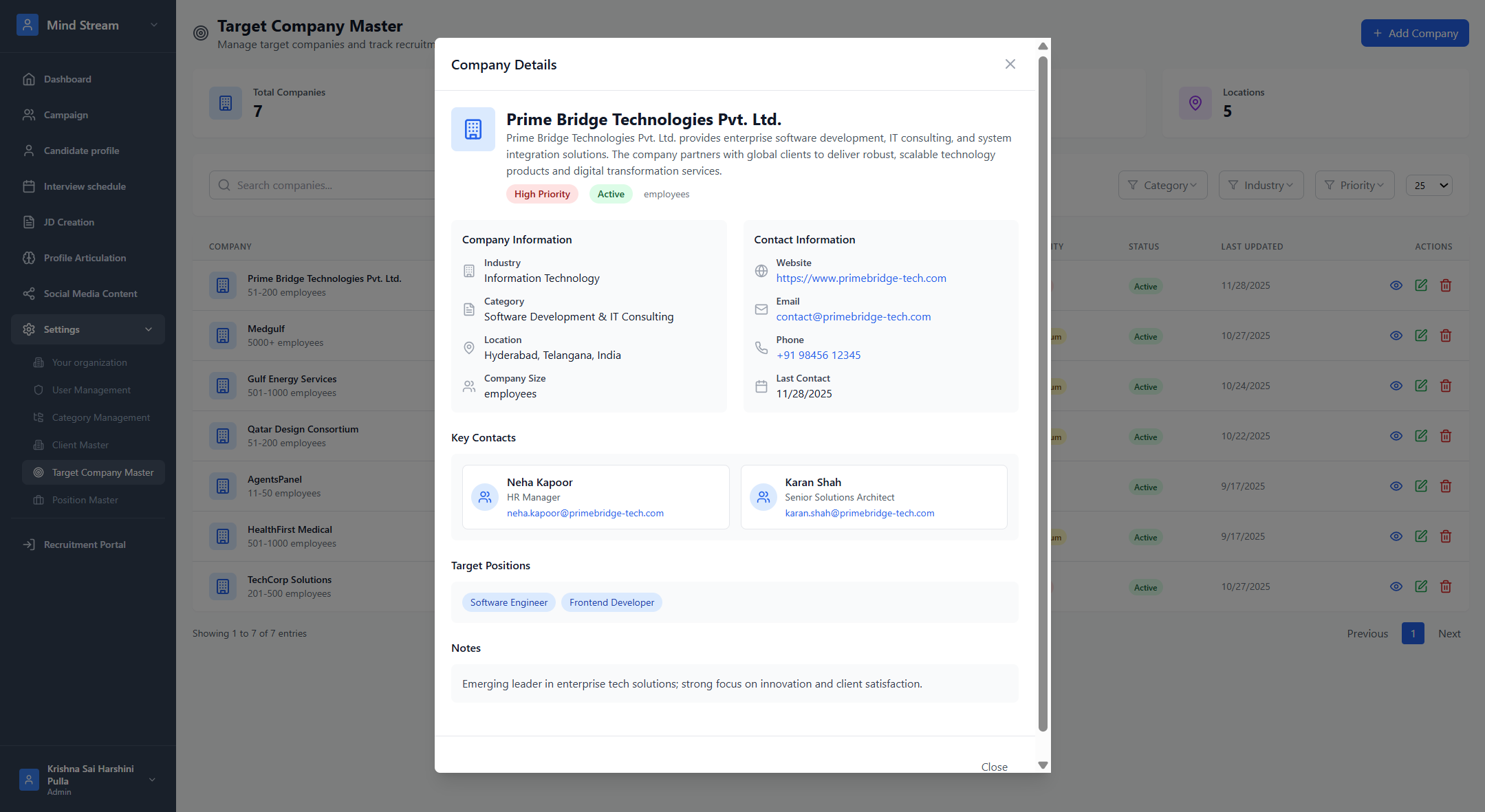
View Target Company
- Click View (eye icon)
- View complete details:
- Company information
- Contact details
- Key contacts
- Target positions
- Website, notes, description
- Last updated date
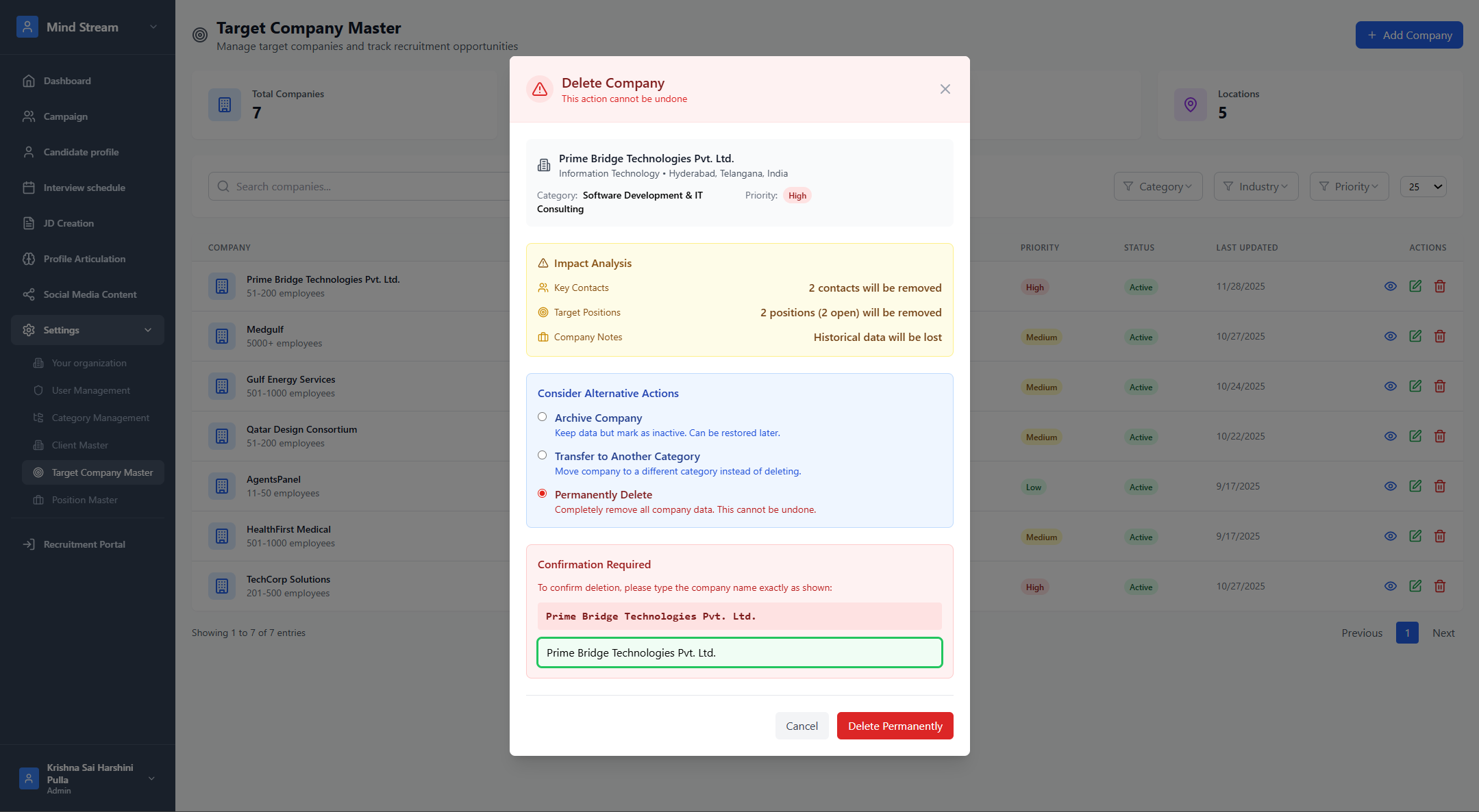
Delete Target Company
- Click Delete
- Confirm deletion
- Company is removed if not linked to any active dependency
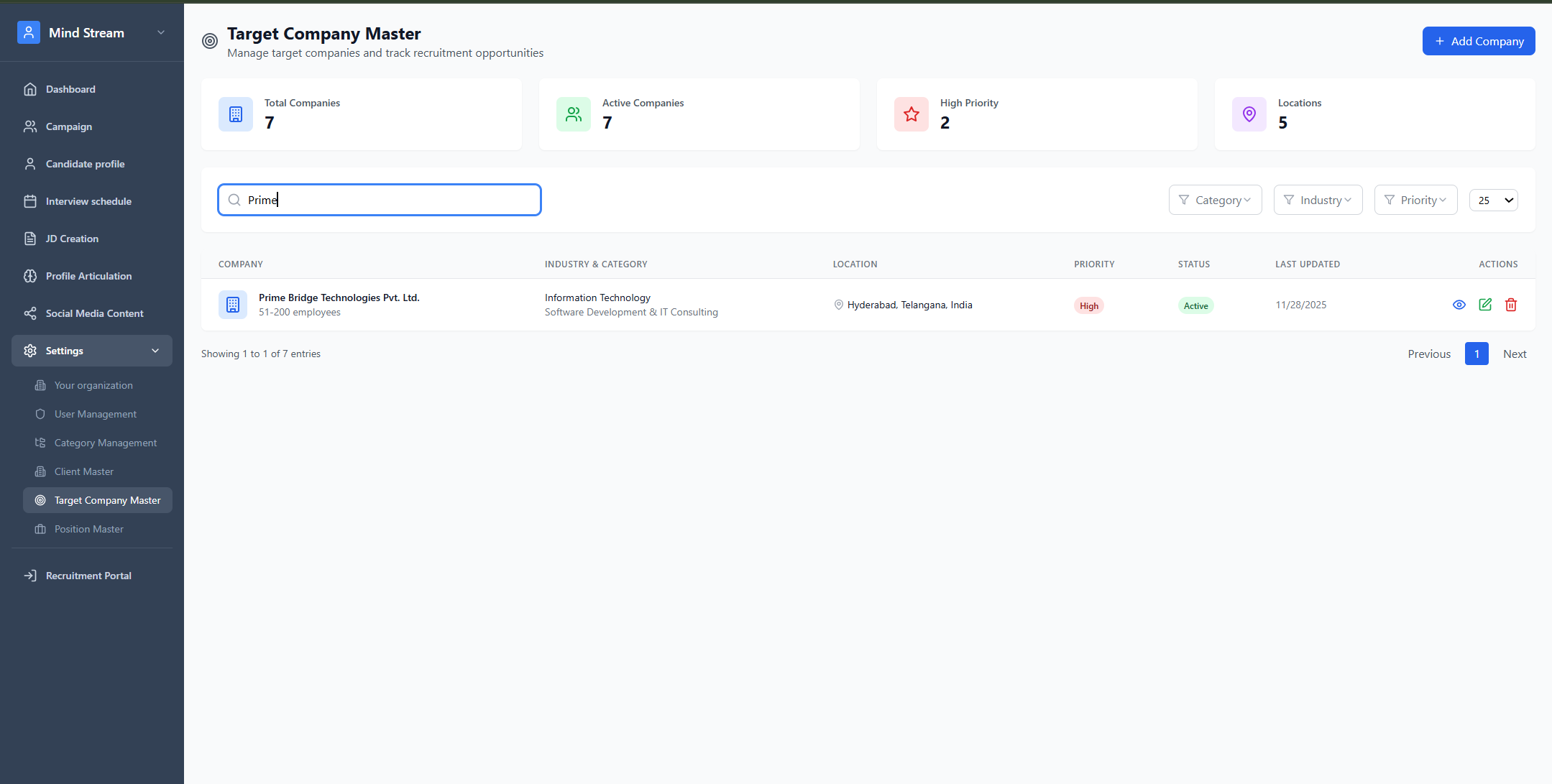
Search & Filter
You can filter companies by:- Priority (High / Medium / Low)
- Status (Active / Inactive)
- Industry (IT, Oil & Gas, Healthcare, etc.)
- Category
- Company name
- Location
- Industry
- Category
How It Fits With Other Modules
Category Management
- Sub-Sub Categories use this module to populate the Select a Company dropdown.
- Ensures every specialization links to the right company targets.
Summary
Target Company Master centralizes all strategic companies your BD & recruitment teams engage with.It manages industry, contacts, priority, and target roles—supporting long-term business growth.