
Documentation Index
Fetch the complete documentation index at: https://docs.coffeerms.com/llms.txt
Use this file to discover all available pages before exploring further.
Candidate Profile – Workflow
The Candidate Profile module manages every candidate’s complete information—from personal details and resume to professional history and URS (Universal Resume Schema).It acts as the central hub for candidate data before they enter a Recruitment Campaign pipeline.
Once a candidate is shortlisted, they move into the Candidate Tracker, where all hiring stages occur.
Workflow Overview
The Candidate Profile workflow covers everything from creation → screening → pipeline movement, ensuring recruiters have complete control over the candidate’s lifecycle.Candidate Creation
- Select a Recruitment Campaign
- Fill in:
- Personal details: name, email, phone, location
- Professional information: skills, experience, expected salary
- Resume upload (PDF/DOC/DOCX/TXT)
- Optional: automatic resume parsing
- Social links & employment history
- Profile picture (optional)
- Save → Candidate appears in the global pool under Candidate Profile
Candidate Viewing (Detailed Dashboard)
- Click a candidate to see 360° view:
- Contact & personal info
- Professional info (skills, experience, salary)
- Application timeline
- Resume information (View / Download)
- Universal Resume Schema (URS) & Deep Research AI insights
- Social profiles
- Employment history
- Actions available:
- Preview/download resume
- Open Deep Research
- Shortlist into a campaign
- Edit details
- Delete candidate
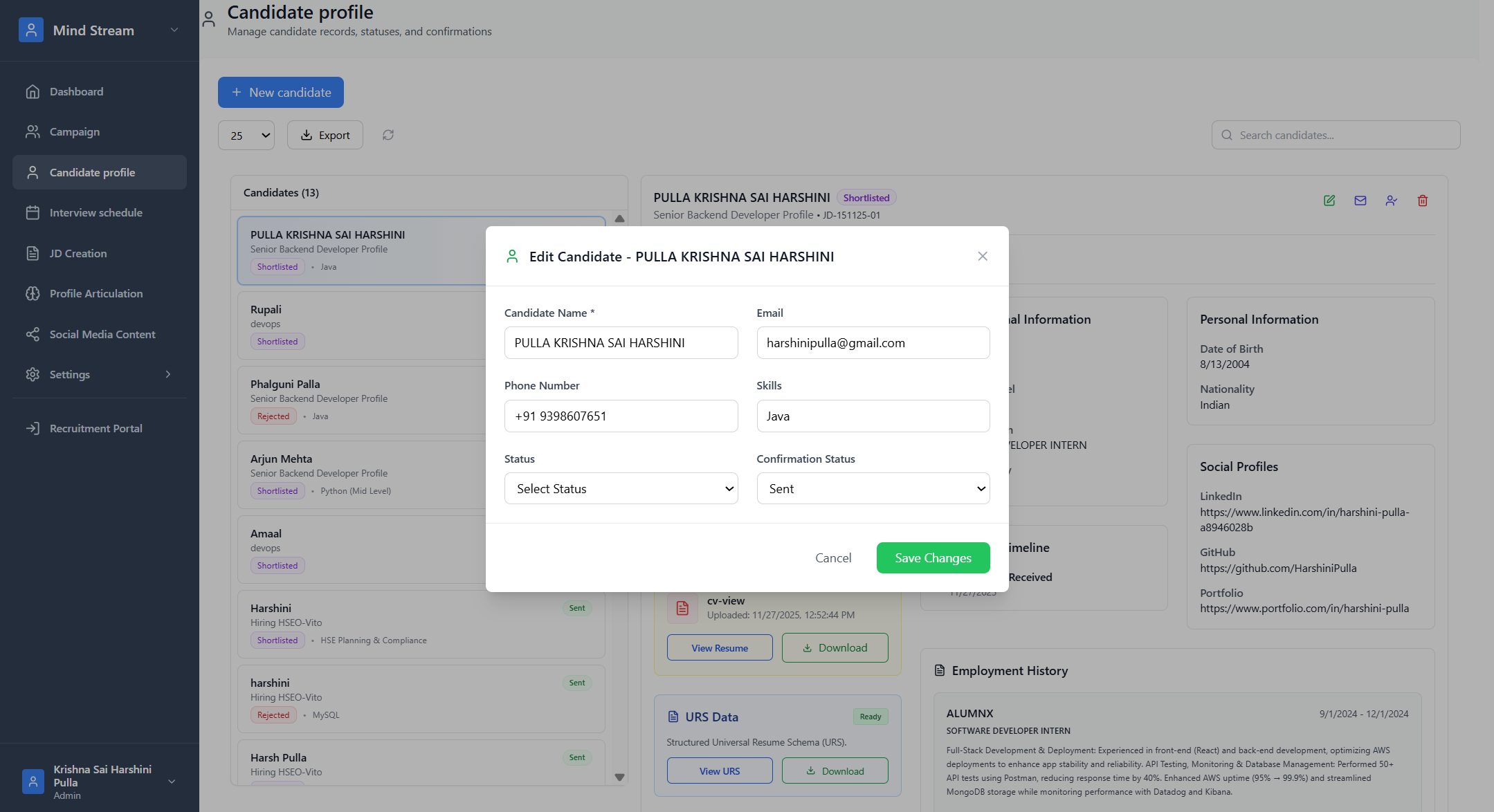
Candidate Editing
- Update contact or professional info
- Re-upload resume (if needed)
- Change status (Application → Shortlisted → Interview → Rejected)
- Update confirmation email status
- Modify campaign association
- RBAC ensures only permitted roles can edit
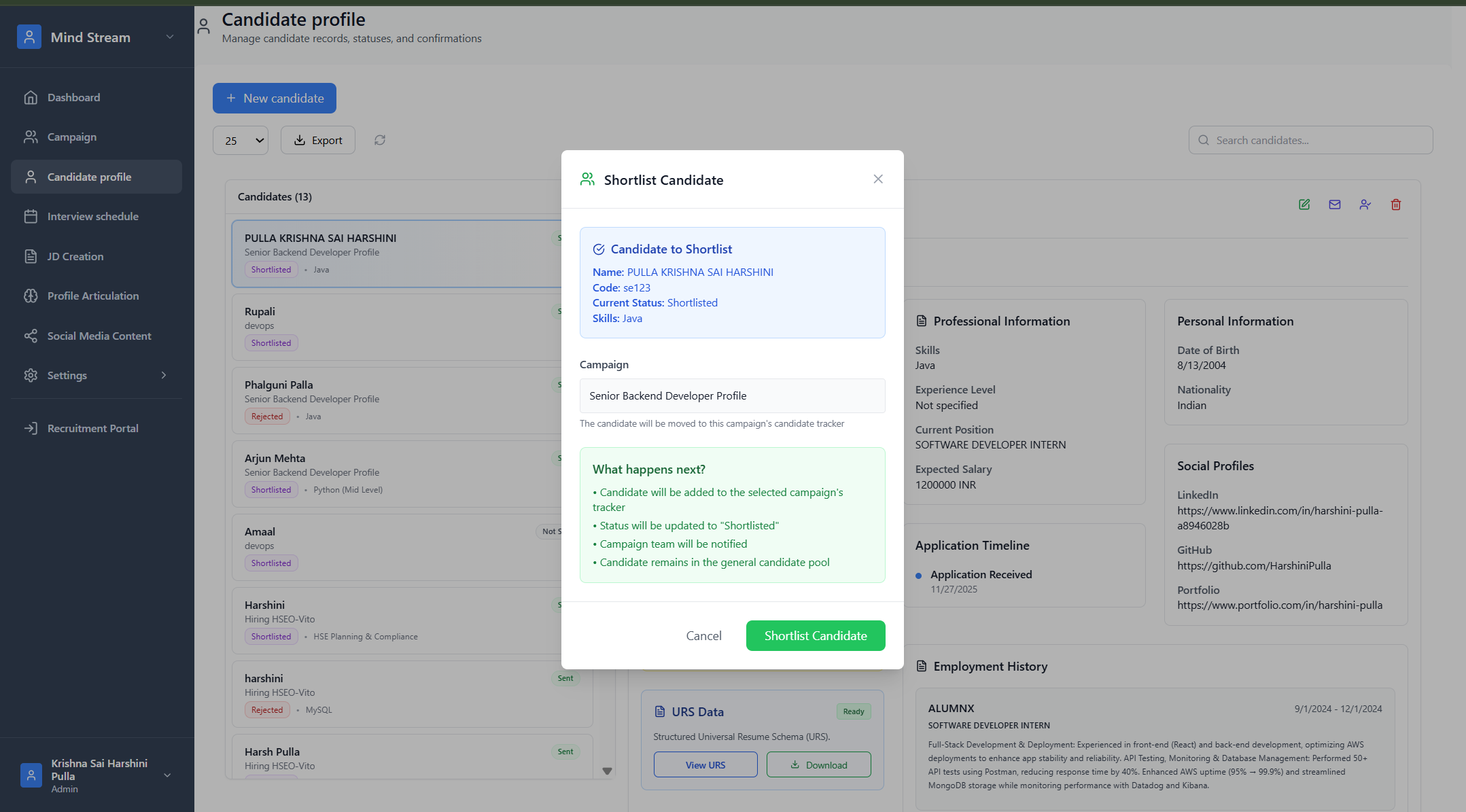
Candidate Shortlisting
- Click Shortlist
- Candidate is attached to selected Recruitment Campaign
- Candidate appears inside Campaign’s Candidate Tracker
- Next steps occur inside Campaign Tracker:
- Pre-screening form responses
- CV improvements
- L1 & L2 Interview Notes
- AI Transcript insights
- Employment gap analysis
- Document & certificate verification
- Client notes
- Offer or rejection handling
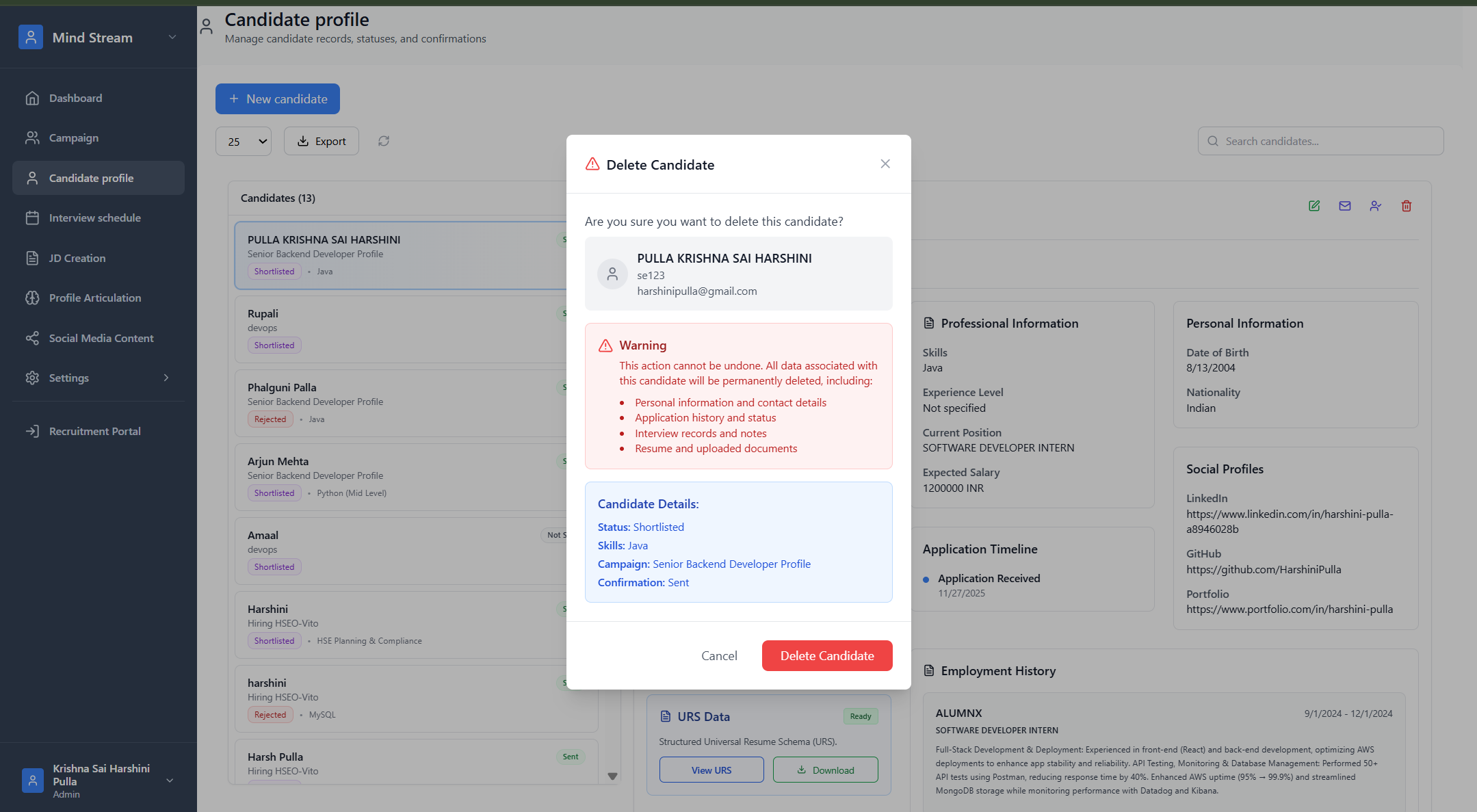
Candidate Deletion
- Click Delete
- Confirm deletion
- Removes:
- Candidate profile
- CV reference
- URS reference
- Campaign linkage
- S3 file keys (if enabled)
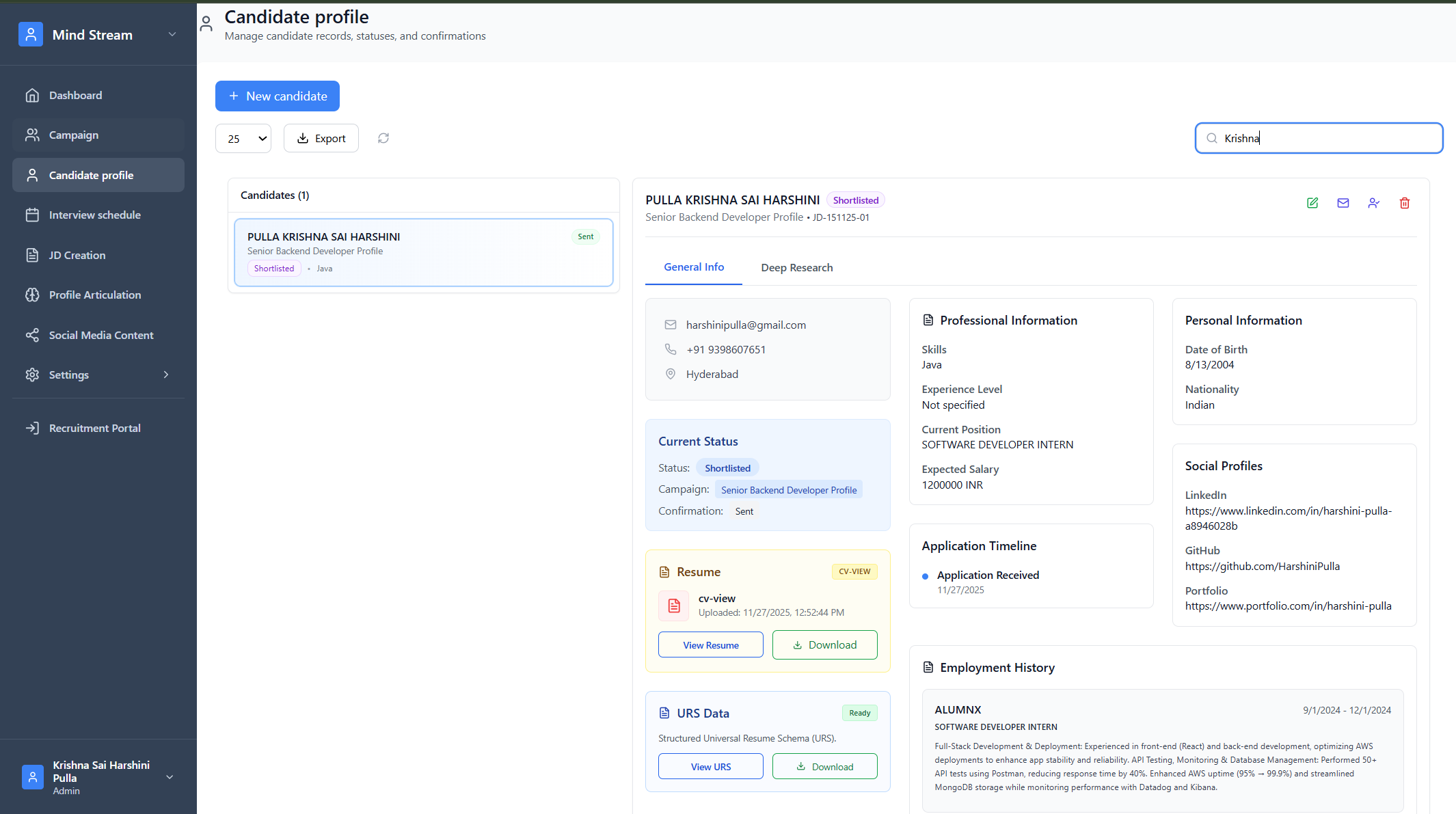
Search & Filter
Searchable by:- Candidate name, email, phone
- Skills
- Campaign name
- Status (Shortlisted, Rejected, etc.)
- JD/role code
- Experience keywords
Summary
The Candidate Profile module is the master record for every applicant in the RMS.It allows recruiters to create, update, validate, and manage candidate information in one place.
After shortlisting, candidates move into Candidate Tracker for screening, interviews, verification, and client review.
It ensures a clean separation between candidate data storage and campaign hiring workflow, making the system scalable, trackable, and easy for recruiters to manage.