
Documentation Index
Fetch the complete documentation index at: https://docs.coffeerms.com/llms.txt
Use this file to discover all available pages before exploring further.
Position Master Workflow
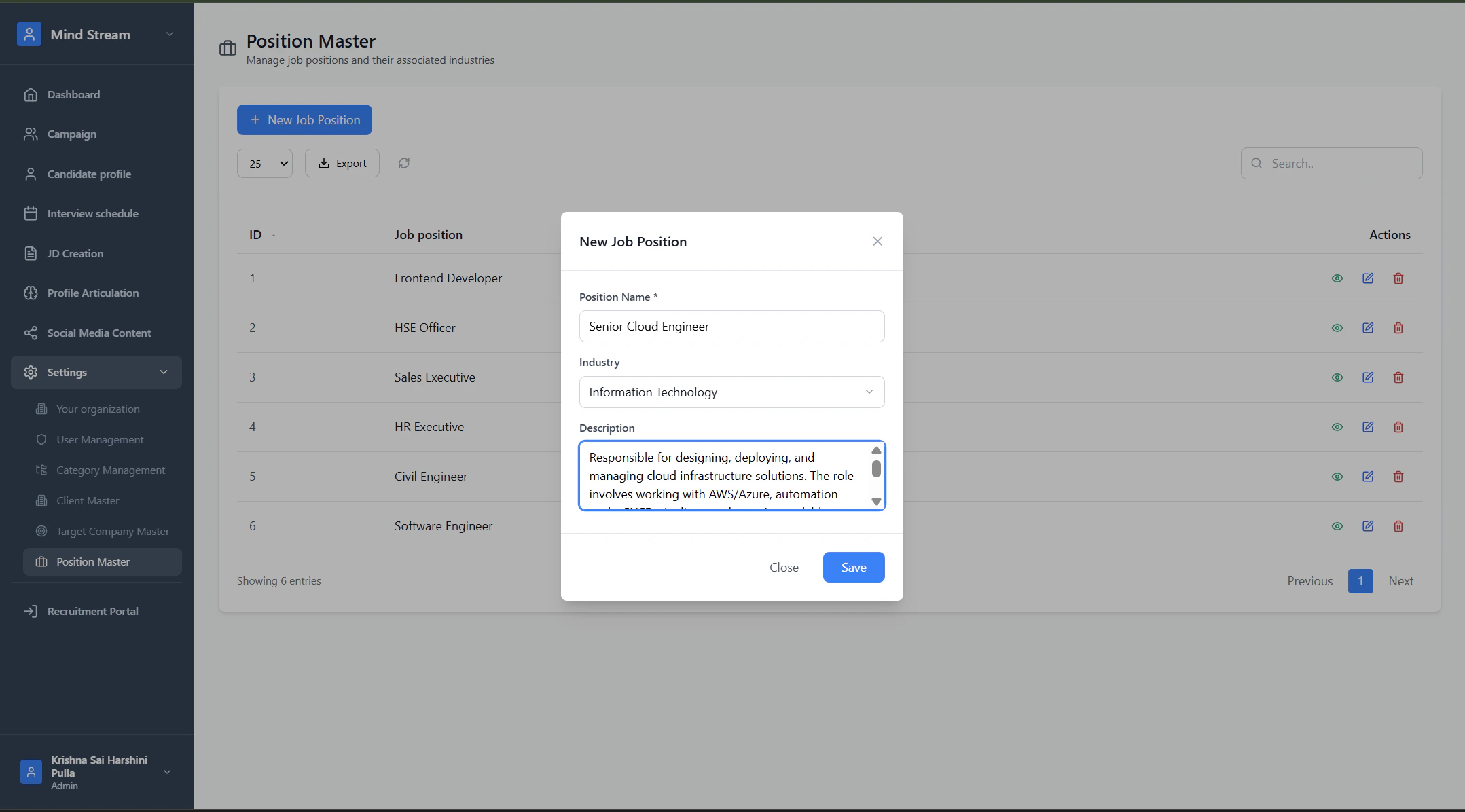
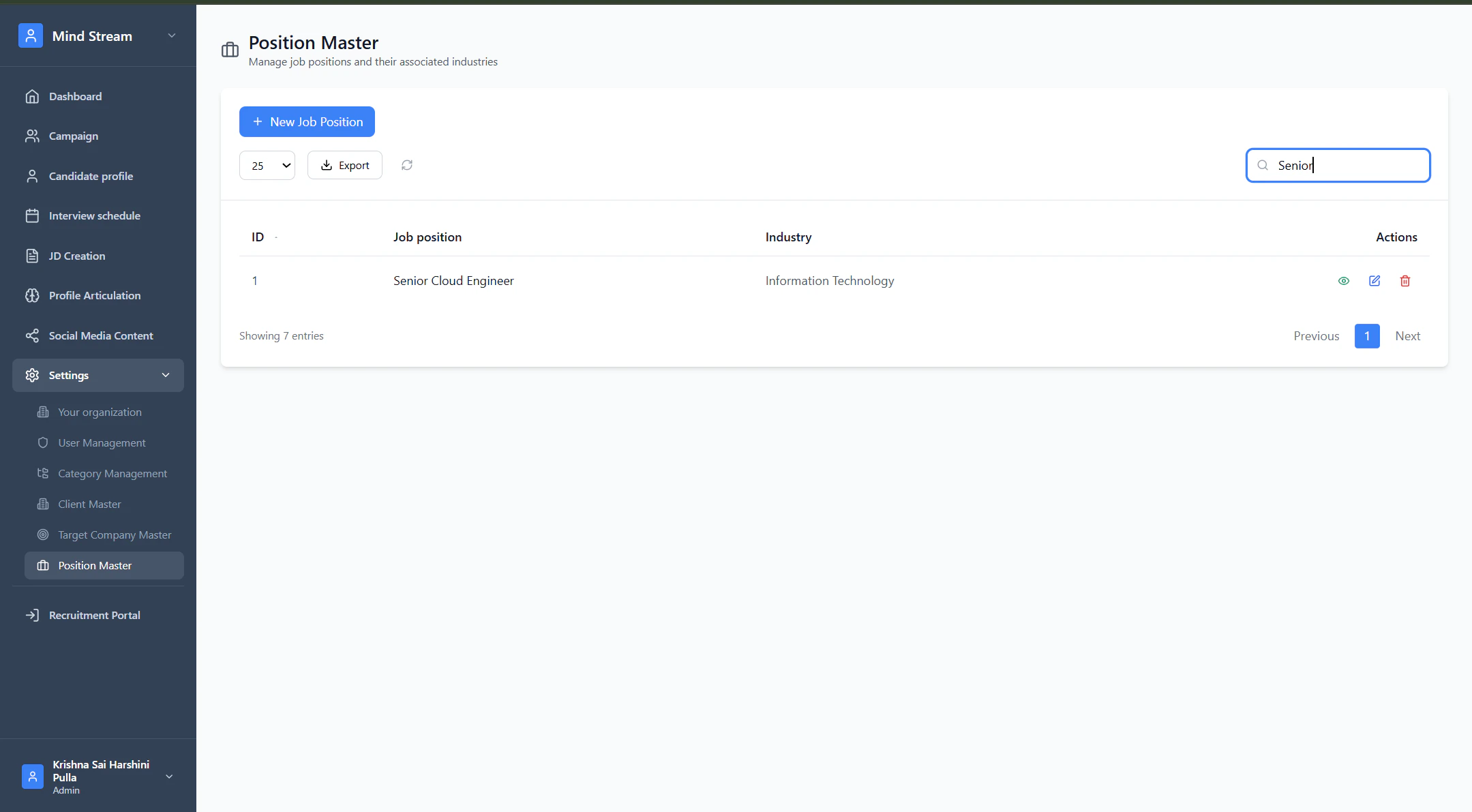
Manage standardized job positions and their associated industries across the RMS.Add Job Position
- Click New Job Position
- Enter:
- Position Name
- Industry
- Description (optional)
- Save
New position appears in the list immediately.
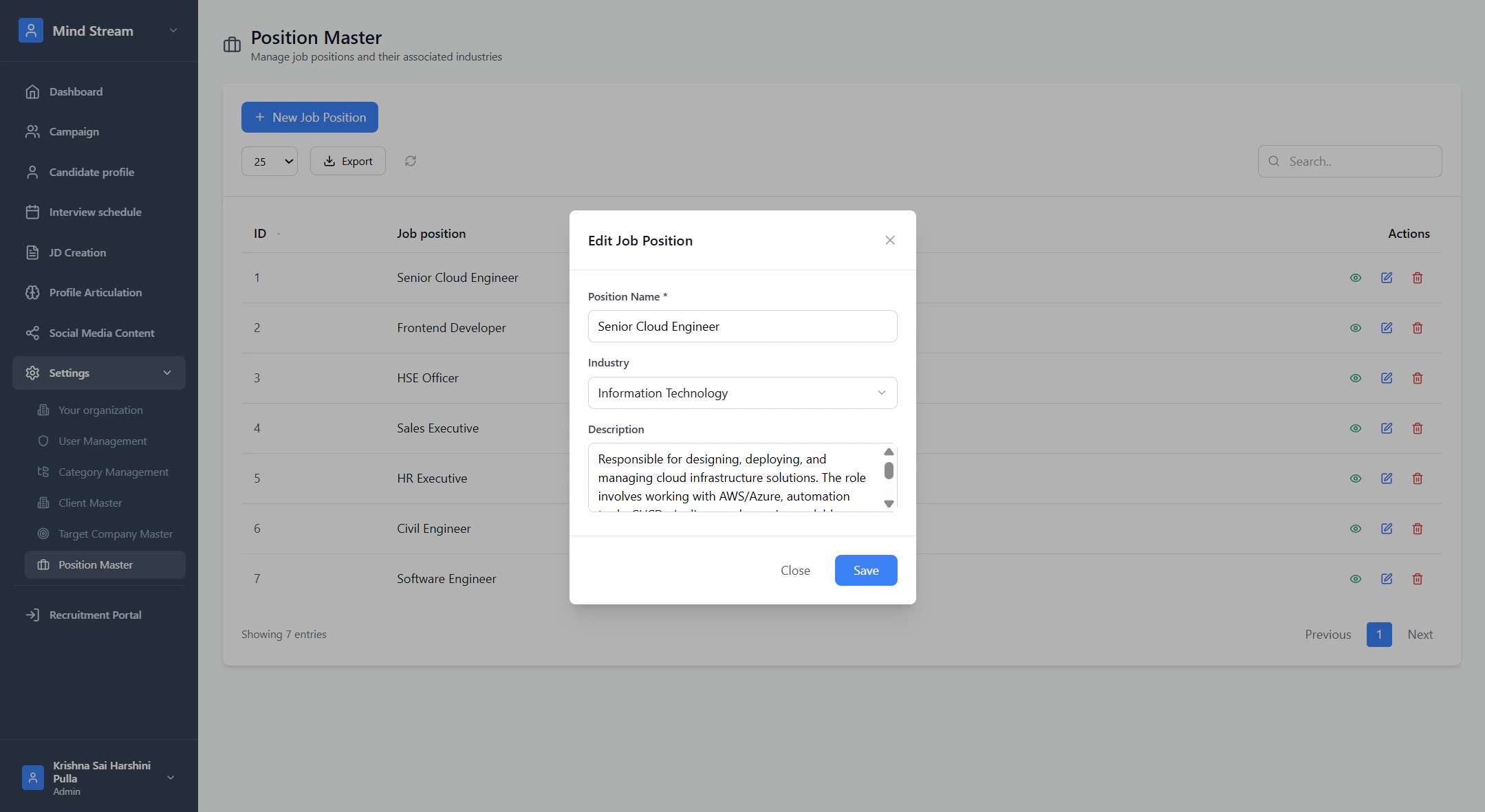
Edit Job Position
- Click Edit on any row
- Update name, industry, or description
- Save changes
Updated information reflects everywhere Position Master is used.
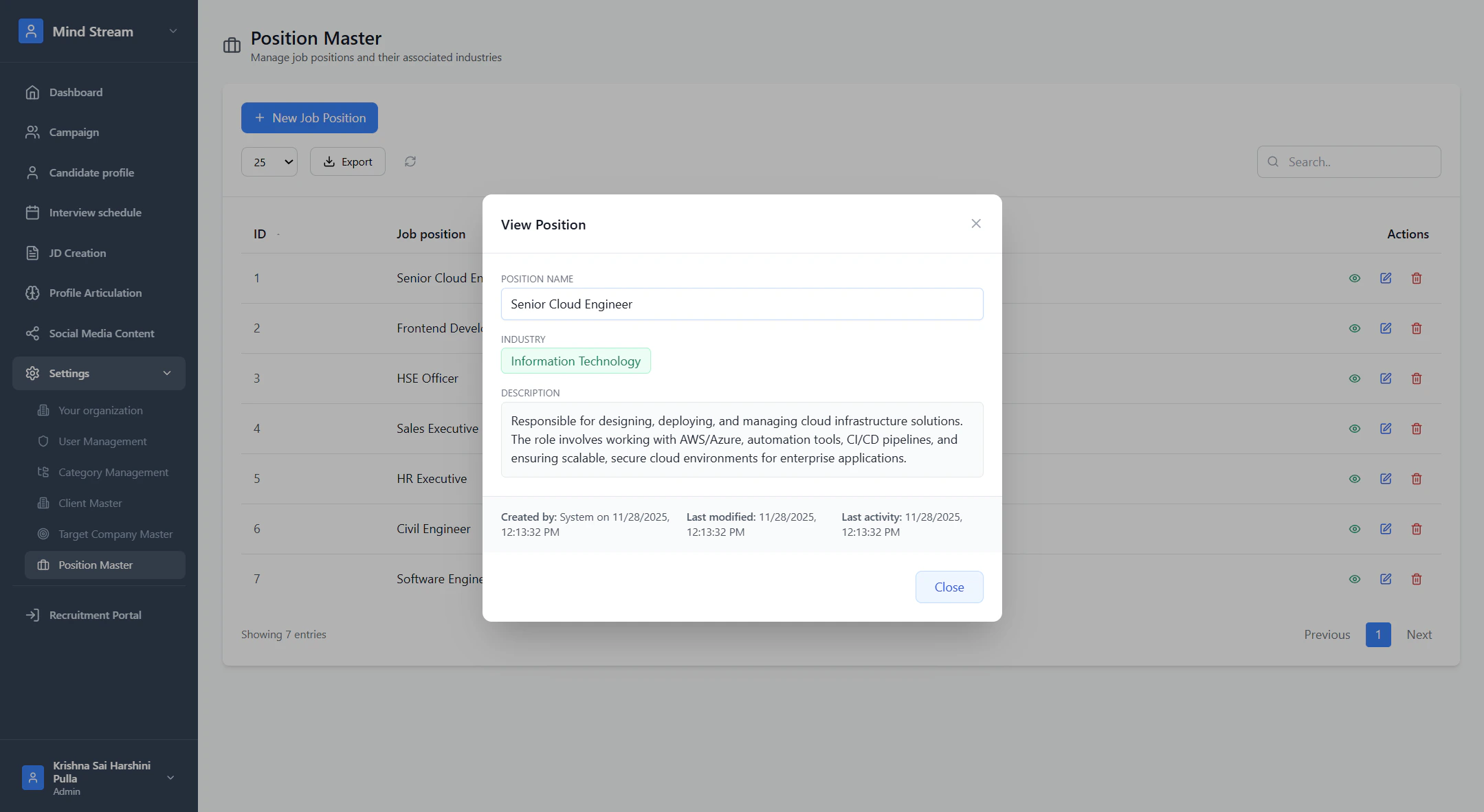
View Job Position
- Click View (eye icon)
- View full details: title, industry, description, timestamps.
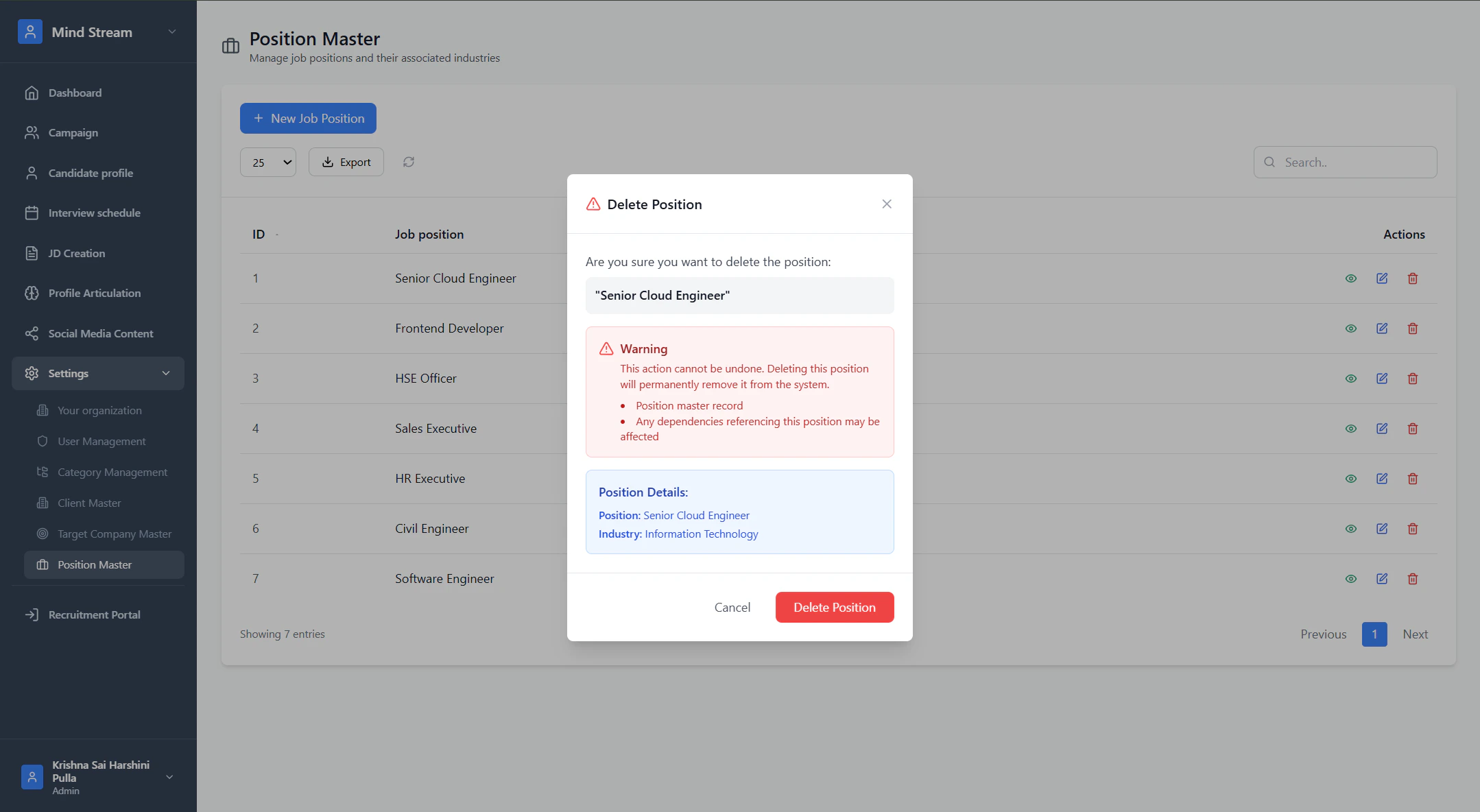
Delete Job Position
- Click Delete
- Confirm deletion
- Position is removed if allowed by business rules.
Search
Search supports:- Position name
- Industry
Where Position Master is Used
Target Company Master
- Used to assign target positions for each company
- Helps BD & recruitment teams focus on specific roles
- Position list comes directly from Position Master API