
Documentation Index
Fetch the complete documentation index at: https://docs.coffeerms.com/llms.txt
Use this file to discover all available pages before exploring further.
Social Media Content Workflow
The workflow allows users to generate AI posts, refine them, approve them, schedule/publish them, and monitor performance — all within a controlled content pipeline.Create Content
1. Manual Create
- User clicks Create Content.
- Fills in fields (platform, content type, text, tags, etc.).
- Saves → status becomes Draft.
2. AI Generate
- User clicks Generate Content.
- Chooses JD + Platform(s).
- System auto-creates multiple platform-specific posts.
- Status = Generated.
View Content
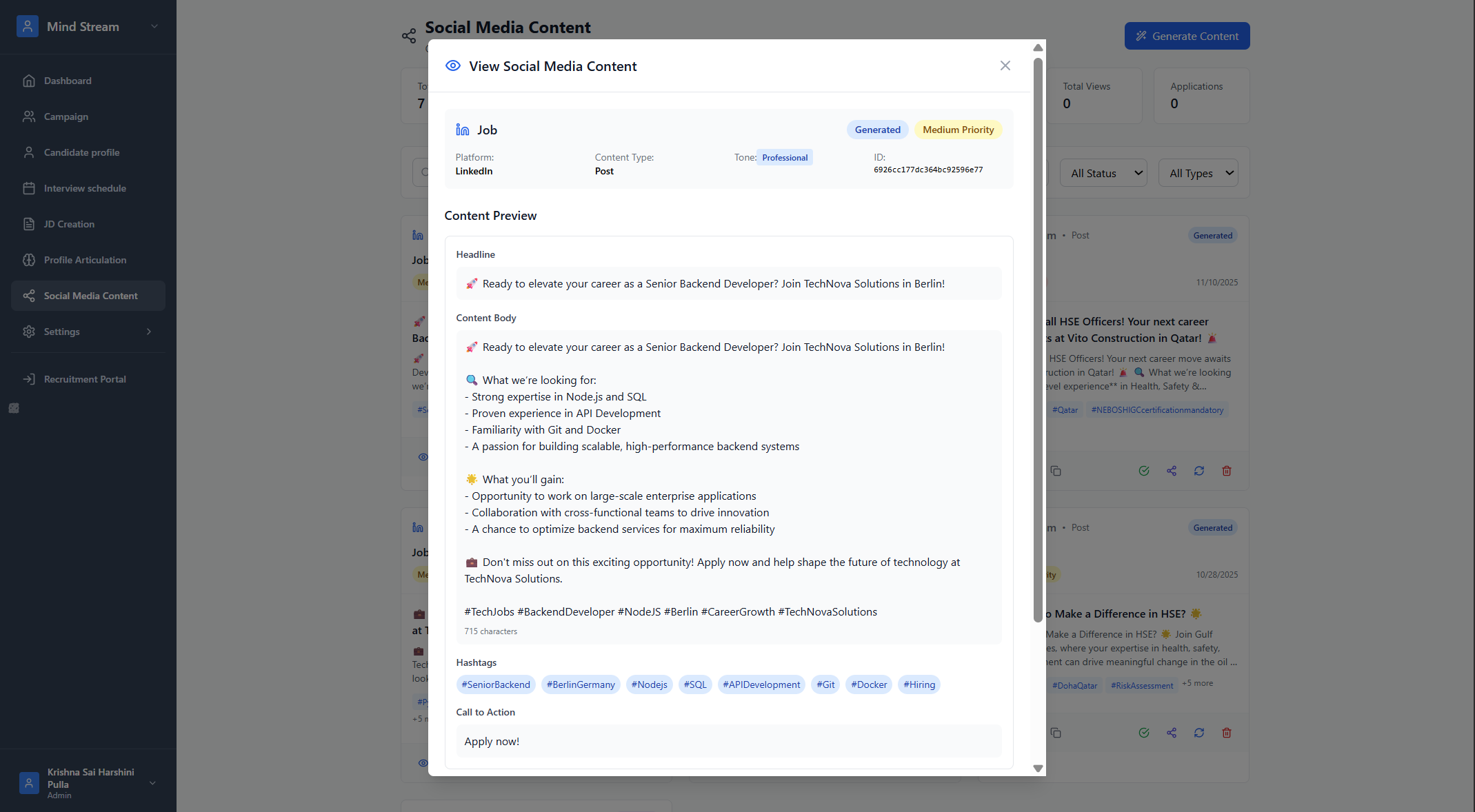
- Click eye icon to preview the full post.
- Shows: title, body, hashtags, metadata, tracking, posted platform.
Edit Content
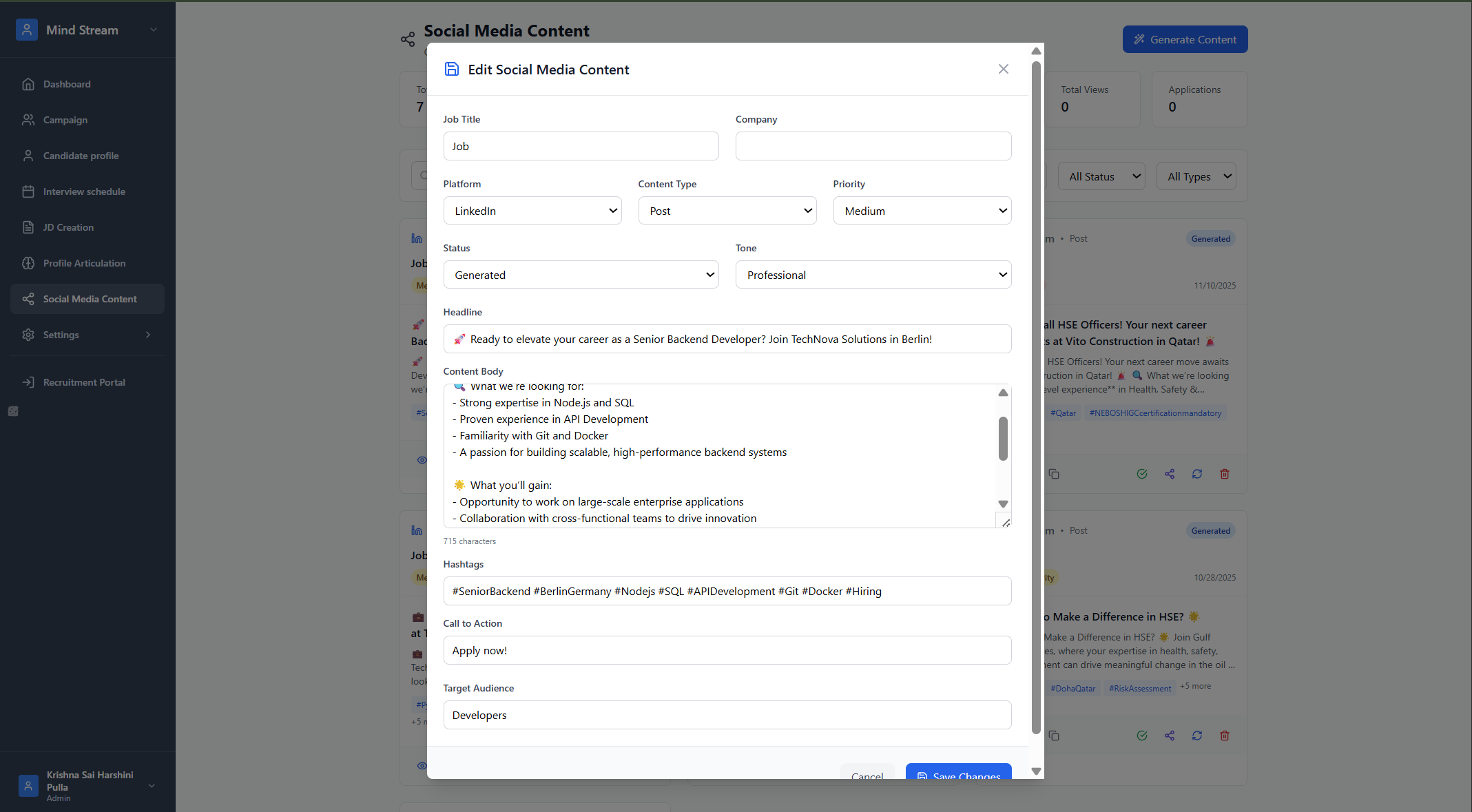
- Click edit icon.
- Modify text, hashtags, priority, or media.
- Save → status remains Draft or Generated.
Delete Content
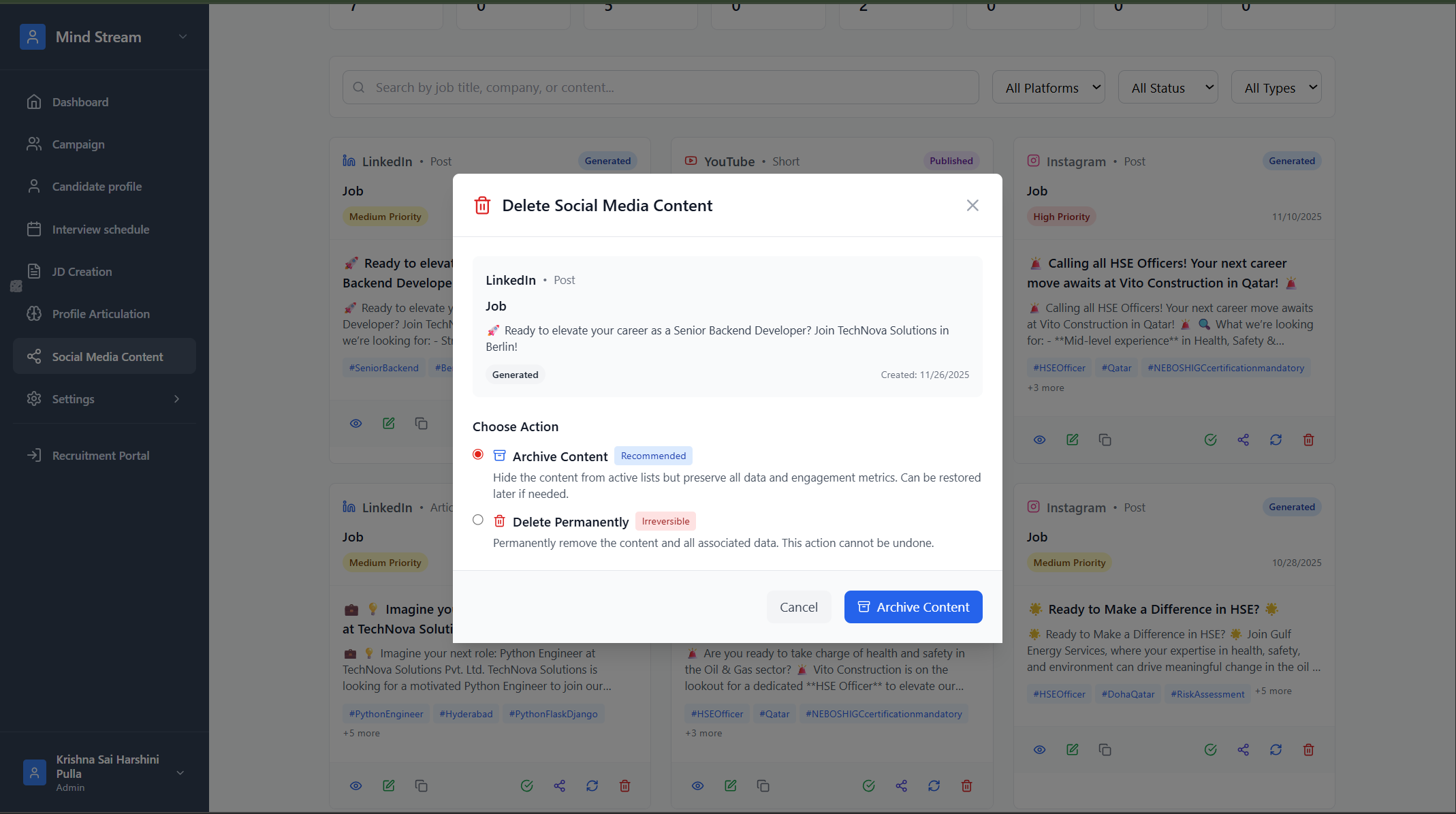
- Click delete icon.
- Confirm deletion.
- The post is permanently removed.
Search & Filter
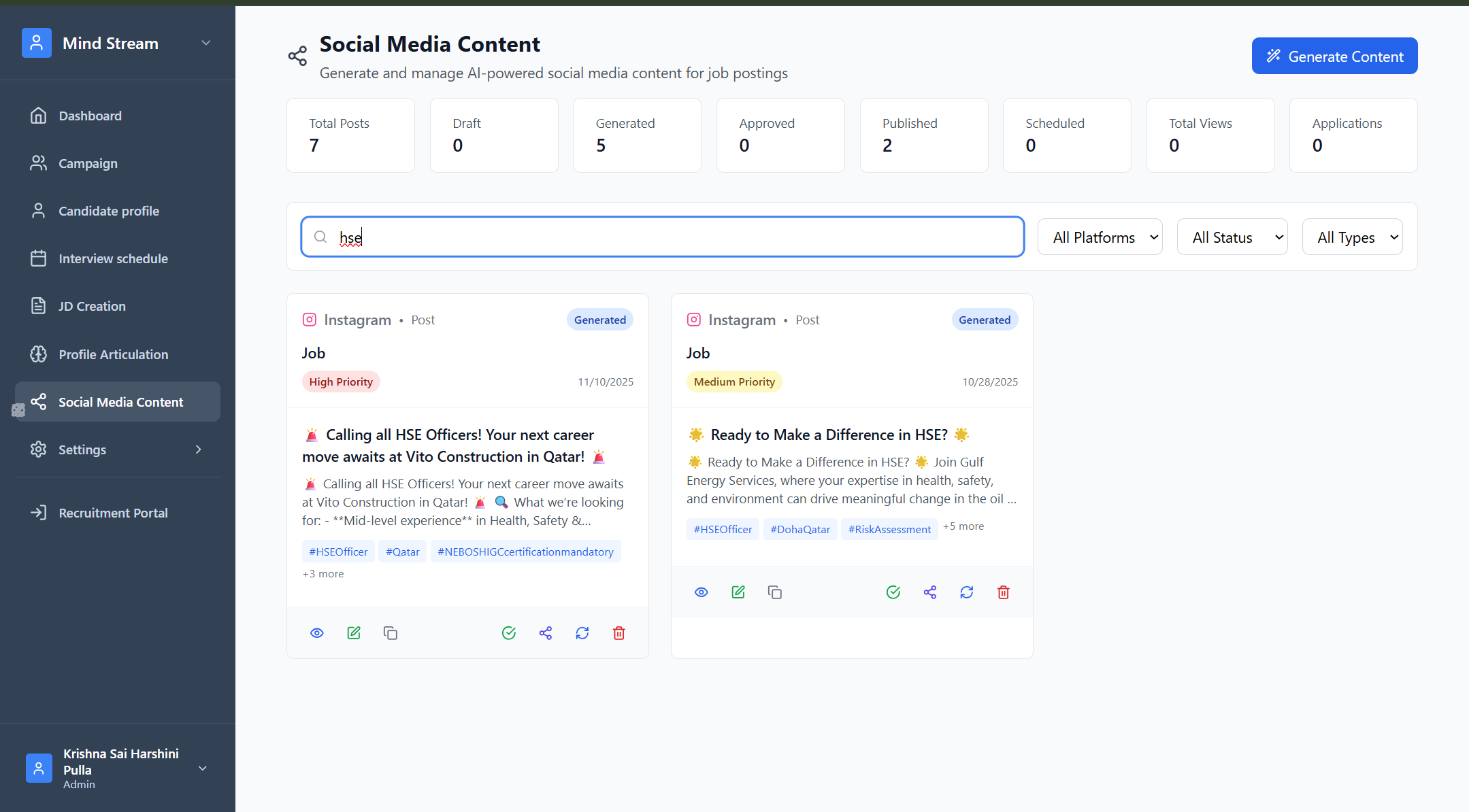
Search Supports:
- Job title
- Company name
- Post content
- Tags
Filters:
- Platform (LinkedIn, Instagram, YouTube etc.)
- Status (Draft, Generated, Approved, Published, Scheduled)
- Content Type (Post, Article, Short, etc.)
Where It Is Used in the Application
- AI-driven Marketing Automation
Generates JD-based hiring posts for social media. - Campaign / Recruitment Marketing
Used to push job openings across channels. - Analytics Dashboard
Tracks views, engagement, and applications from each post. - JD & Profile Articulation Integration
Post generation uses:- JD (role, skills, responsibilities)
- Profile (candidate persona, salary range, market)
Summary
Social Media Content automates social job posting by generating, editing, approving, and publishing AI-powered posts.It streamlines recruitment marketing, ensures consistent messaging, and provides analytics on job applications coming from each social post.